A literature map can reveal a paper you missed. It can’t tell you whether that paper’s methods hold up. That distinction matters when choosing AI tools for research: the best ones cut time spent finding, sorting, and preparing material without taking over the judgments that make research credible.
The tools that stood out in 2024 still cover much of a researcher’s workflow, but the choices have changed. ResearchRabbit now has a paid tier, Overleaf offers built-in AI features, and tools such as Elicit can help screen and extract information from papers. Just as important, several useful names on this list—JupyterLab, Tableau Public, and Zotero—aren’t AI tools by themselves. They earn their place because they give AI-assisted work a dependable way to be checked, organized, and shared.
The New Standard: Literature Review and Discovery
A good discovery tool helps you find papers you didn’t know to search for. It should supplement, not replace, a deliberate search of the databases relevant to your field.
- Connected Papers is useful when you have one strong starting paper and want to see nearby work. Its graph groups papers by similarity based on shared references and citations; it isn’t a citation family tree, and neighboring papers need not cite one another. Separate views highlight earlier and later work. That makes it good for getting oriented, but a graph centered on one paper can also inherit that paper’s blind spots.
- Semantic Scholar is the broad first stop. Its search filters, brief AI-generated TLDRs, citation information, alerts, and personalized Research Feeds help you decide what deserves a closer read. A TLDR is a screening aid, not a substitute for checking the abstract, methods, and results.
- ResearchRabbit works best after you’ve gathered a few relevant papers. Save them to collections, follow references and citing work, and use its maps to explore connections. Its free tier includes citation mapping, shared collections, and searches using up to 50 seed papers. ResearchRabbit+ adds larger searches and more controls; U.S. pricing is listed at $12.50 monthly or $10 per month on an annual plan.
- Elicit is worth adding when the job moves from finding papers to comparing them. It can search by a research question, screen studies, and extract information into tables with supporting passages. Its basic tier is free, while the dedicated systematic-review workflow is on paid plans. Check every inclusion decision and extracted figure against the original paper, especially when a review must follow a prespecified search method.
These tools overlap, but they answer different questions. Use Semantic Scholar to search broadly, Connected Papers or ResearchRabbit to follow promising connections, and Elicit when you need a structured comparison. For a systematic review, record your search strategy and decisions rather than treating any recommendation list as complete.
Supercharging Writing and Collaboration
Writing tools are most helpful when they handle formatting, references, and routine edits. They become less helpful when polished wording makes an uncertain claim sound settled.
- Overleaf is the strongest fit here for teams writing in LaTeX. Coauthors can work in the same manuscript rather than pass files back and forth, and its built-in AI tools now assist with writing and LaTeX tasks. Check the plan before building a team workflow around it: the free plan allows one invited collaborator per project and limited daily AI use; larger collaboration and fuller AI features sit on paid plans.
- Paperpile is a practical choice for researchers who write in Google Docs or Word and want their references close to the draft. It collects sources, manages PDFs, and builds citations and bibliographies. It’s a paid reference manager after a trial: Regular covers the citation essentials, while Expert adds features such as PDF annotation and shared libraries. Compare those tiers carefully if team annotation is the reason you’re buying.
- Grammarly Pro offers sentence rewrites, tone suggestions, and other AI writing features alongside grammar checks. Grammarly Premium remains available through the App Store and Google Play; Grammarly Pro is available through a web purchase. The free tier covers basic writing help; Pro adds advanced suggestions and a larger AI allowance. It’s useful for polishing a grant abstract or tightening a discussion section, but don’t accept a rewrite that changes the strength of a finding or swaps a precise technical term for a smoother one.
Keep the source of each claim visible as the manuscript develops. A citation manager can update a bibliography; it can’t decide whether the cited study supports the sentence beside it.
Data Analysis: From Crunching Numbers to Visual Insights
This is where “AI tool” can become a misleading label. A chart made quickly is not necessarily a sound analysis. Choose a workspace in which you can inspect how the numbers were cleaned, calculated, and displayed.
- JupyterLab brings code, data, outputs, and explanation into one working environment. Jupyter supports Python, R, Julia, and other languages, making it a strong choice for computational work that colleagues may need to inspect or rerun. A notebook is only as reproducible as its documented data, dependencies, and execution steps.
- Tableau Public makes interactive charts and dashboards approachable without code. It’s free, but the name is a warning as well as a feature: published visualizations are visible to anyone online. Use it for data you’re cleared to share, not unpublished, confidential, or participant-level material.
- KNIME suits researchers who want visible data-cleaning and analysis steps without writing every transformation in code. Its free, open-source Analytics Platform combines visual workflows with optional scripting and machine-learning integrations. A well-labeled workflow can also make it easier for a collaborator to spot an incorrect filter or join.
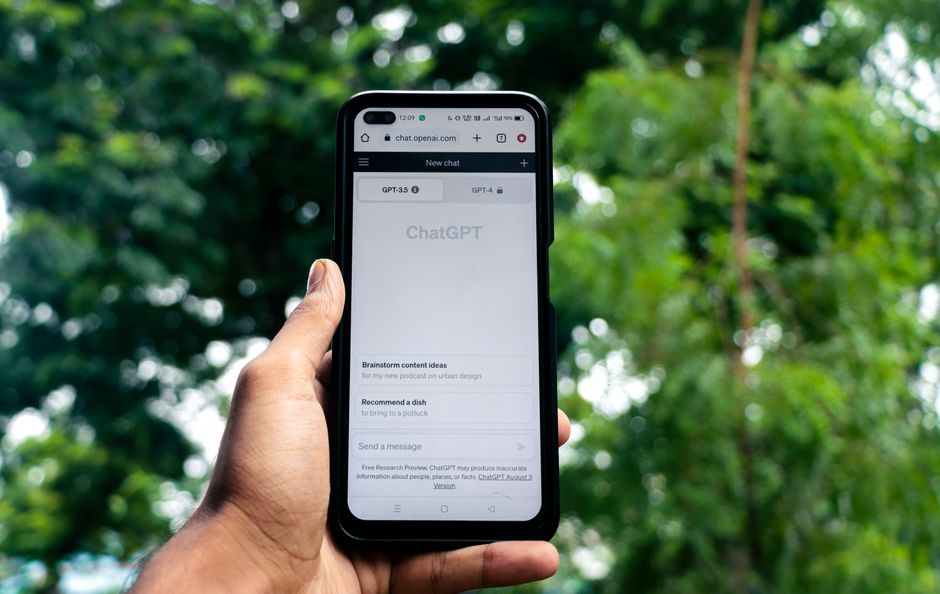
- ChatGPT’s data analysis tools can help inspect a spreadsheet, write exploratory Python, or produce a quick chart. The advantage is speed; the risk is accepting a plausible result without checking its construction. Review the generated code, assumptions, and outputs before using any result in a paper.
| Tool | Best for | Main limitation |
|---|---|---|
| JupyterLab | Code-based analysis you can document and rerun | — |
| Tableau Public | Exploring and publishing shareable visualizations | Published work is public |
| KNIME | Visual data-cleaning and analysis workflows | Complex workflows still require validation |
| ChatGPT data analysis | Quick exploration and drafting code | Outputs and methods need independent checking |
For a simple test, ask two questions before trusting a chart: Can I trace every plotted value to its source data? Can someone else reproduce the transformation? If not, the visualization isn’t finished.
Staying Organized: Project Management for Researchers
A lab can have excellent search and analysis tools and still lose track of which draft, decision, or dataset is authoritative. Organization tools solve that problem, though most are not research-specific AI.
- Trello gives a small team a clear board for experiments, reviews, manuscripts, or grant deadlines. Its rule-based automation can assign members, add checklists, and move cards. That’s useful administration, not a substitute for an experimental record.
- Notion can hold project notes, protocols, and task databases in one shared workspace. Its AI features can help search and summarize workspace material; AI Meeting Notes can transcribe discussions and identify action items, subject to plan and setup requirements. Get participants’ consent before recording, and review generated minutes before treating them as a record of decisions.
- Zotero belongs here as well as in the writing workflow. Its group libraries let colleagues share collections and, where enabled, files. It remains the place to manage source records; Trello or Notion should track what the team plans to do with them.
Give each tool one clear responsibility. If paper notes live in Zotero, don’t keep a second, conflicting set of citation details in a project board. If Notion holds the agreed protocol, label older drafts so a teammate won’t follow one by mistake.
The Road Ahead: Integrating Smart Tools into Everyday Research
Start with your bottleneck, not a collection of subscriptions. If literature discovery is slow, try Semantic Scholar with either Connected Papers or ResearchRabbit. If you already have the papers but struggle to compare them, test Elicit on a small set whose contents you know well. If writing or analysis is the delay, improve your reference-management or data workflow before adding another AI assistant.
Set ground rules for what goes into third-party tools, particularly unpublished manuscripts, confidential data, and material covered by an institutional agreement. Then keep the checks that matter: open the original paper, verify extracted values, inspect generated code, and record decisions a collaborator needs to understand.
The useful measure isn’t how many tools a researcher adopts. It’s whether the tools help them find better evidence, show their work, and catch mistakes before those mistakes reach a reader.