A gas bill tells you how much your household used over a billing period. A meter reading lets you see what happened between bills—especially useful when a cold spell, a new appliance, or an unexplained increase makes the total hard to judge.
You don’t need to open the meter or adjust anything. Identify the display, write down its cumulative reading, and subtract an earlier reading taken from the same meter. The detail that matters most is the unit: a change of 10 on a display measured in hundreds of cubic feet means something different from a change of 10 cubic feet.
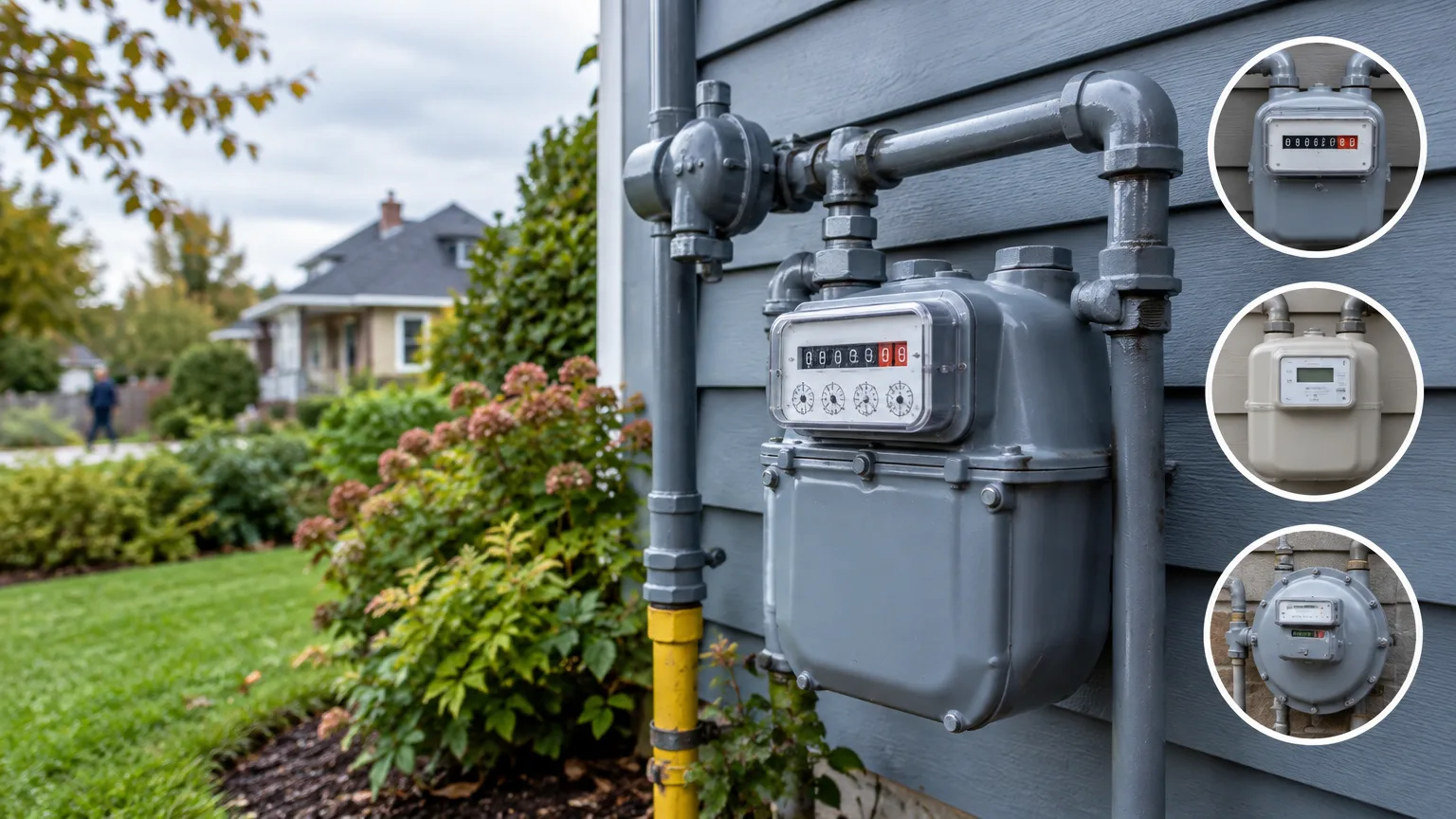
Find the reading your utility uses
Locate the gas meter and match its identification number to the one on your bill, particularly if your property has more than one meter. Read it only from a safe, accessible position. Don’t remove a cover, disturb a seal, or move piping to get a better view. If the meter looks damaged, contact the gas utility rather than trying to fix it.
Most homeowners will encounter one of two displays:
- A dial meter has a row of four or five numbered, clock-like faces. It may also have smaller test dials. Read the main numbered dials, not the test dials.
- A numeric meter shows the reading as digits, either on a mechanical register or an electronic screen. On some advanced gas meters, a button brings up the reading; other screens may show different information. For example, Spire’s instructions for its advanced meter tell customers to use the digits to the left of the decimal point on the index screen. Follow your own utility’s instructions if your display differs.
A meter that sends readings to the utility automatically may still have dials you can read yourself. Automatic collection describes how the utility gets the reading; it doesn’t, by itself, tell you what the meter face looks like.
Before calculating usage, check the label on the meter or the reading format on your bill. Gas meters measure volume, but the displayed digits and billed units must match before you can compare them.
Read a dial meter from left to right
The pointers on neighboring dials often turn in opposite directions. Ignore the direction of rotation and record one digit from each main dial, starting on the left:
- If a pointer sits between two numbers, write down the lower number.
- If it sits between 9 and 0, write down 9. The pointer hasn’t completed its turn back to zero.
- If it appears to sit exactly on a number, check the dial immediately to its right. If that dial hasn’t passed 0, the pointer you’re checking hasn’t quite reached its number: record the number below it. If the right-hand dial has passed 0, record the number it appears to be on.
That last rule prevents a common mistake. A pointer that looks like it’s on 6 may still represent 5 if the dial to its right hasn’t completed a turn. If you’re uncertain, take a clear, straight-on photo and compare it with your utility’s meter-reading guide. The small test dials may move while the main reading appears unchanged; they aren’t extra digits to add.
A numeric display is simpler: read the relevant digits from left to right. Keep leading zeros in your notes if they help you match the bill, and don’t mistake a serial number, date, or screen code for the usage reading.
Turn two readings into gas usage
A gas meter shows a running total, much like a car’s odometer. Your use over a period is the later reading minus the earlier one. Gas bills commonly show the previous reading, later reading, and the difference, so they’re a useful place to check your arithmetic.
Suppose your meter’s reading is measured in Ccf—hundreds of cubic feet—and you record 1,250 on Monday and 1,259 the following Monday:
1,259 − 1,250 = 9 Ccf used in seven days.
Because 1 Ccf equals 100 cubic feet, that’s 900 cubic feet. Divide 9 by seven to get about 1.3 Ccf per day. The daily figure is often more useful than the weekly total when comparing periods of different lengths.
Check the unit before applying that example to your own meter. Don’t assume every digit represents one Ccf. Likewise, don’t expect a meter’s volume reading to match a bill stated in therms. A therm measures heat energy; a utility may convert metered volume using a heat-content factor shown on the bill. Gas heat content varies, so a fixed Ccf-to-therm estimate is useful for a rough comparison, not for reproducing every bill exactly.
If a later reading appears lower, don’t report negative usage. Check for a copied digit, a meter replacement, or a register that has rolled over from its highest reading to zero. Your utility can help reconcile the readings if the reason isn’t clear.
Keep a log you can actually compare
A photo and a short note once a week are enough to establish a pattern. Read at roughly the same time of day, and record the date, meter number, reading, and anything that might affect use. The meter numbers matter more than an estimate of what the next bill will cost.
| Date | Reading | Use since last reading | Note |
|---|---|---|---|
| April 6 | 1,250 Ccf | — | Starting reading |
| April 13 | 1,259 Ccf | 9 Ccf in 7 days | Similar weather and schedule |
| April 20 | 1,275 Ccf | 16 Ccf in 7 days | Colder week; check thermostat schedule |
This log shows a change worth explaining, not proof of a problem. If you prefer monthly checks, read near the dates on your bill and compare the same number of days where possible. A 33-day bill can show more gas use than a 28-day bill even if daily use stayed flat.
If your utility offers an online usage chart, check it before making extra trips to the meter. The level of detail varies by utility and meter: SoCalGas, for example, offers hourly, daily, and monthly views through its usage tool. Your own dated readings remain helpful when you want to check a specific week or compare a bill with what you saw at the meter.
Decide whether an increase is unusual
Start with the ordinary explanations. A gas furnace or boiler may run much longer in colder weather, even if no one touched the thermostat. More hot-water use, guests, a gas dryer, or a change in cooking habits can also raise consumption. If you changed a thermostat setting or schedule, note the date so you can compare readings before and after.
For heating-season comparisons, a useful question is: Was this week colder than the week I’m comparing it with? Department of Energy guidance on comparing gas use with weather shows why temperature matters. You don’t need a formal weather calculation to spot an obvious cold snap; you do need to avoid calling every winter increase a fault.
Next, check the bill. Is its reading marked actual or estimated? Does its meter number match yours? An estimated bill can be followed by a larger adjustment when the utility gets an actual reading, without all that gas having been used in the most recent month. If your photo and the billed reading seem inconsistent, compare their dates and contact the utility with the meter number and photo.
A persistent increase with no clear change in weather or household use deserves attention. Contact the gas utility about unexplained meter or billing behavior; have a qualified technician assess a gas appliance you suspect isn’t operating properly. Don’t open the meter, alter its valves, or take apart an appliance to investigate usage.
Treat signs of a possible leak differently from an ordinary high reading. If you smell a rotten-egg odor, hear hissing, or otherwise suspect escaping gas, stop checking the meter and leave the area. Avoid switches, flames, and phones until you’re away; then call 911 or your gas utility’s emergency number. For the signs and immediate steps, see this guide to recognizing and responding to a natural gas leak.
The most useful meter record is a consistent one. Keep readings, dates, and brief notes together.